Register once more
How to register with a new journal, if you are already registered as a user on the platform - tidsskrift.dk
If you already have registered with one of the many journals found on tidsskrift.dk, you must do the following if you want to register with another journal on this platform.
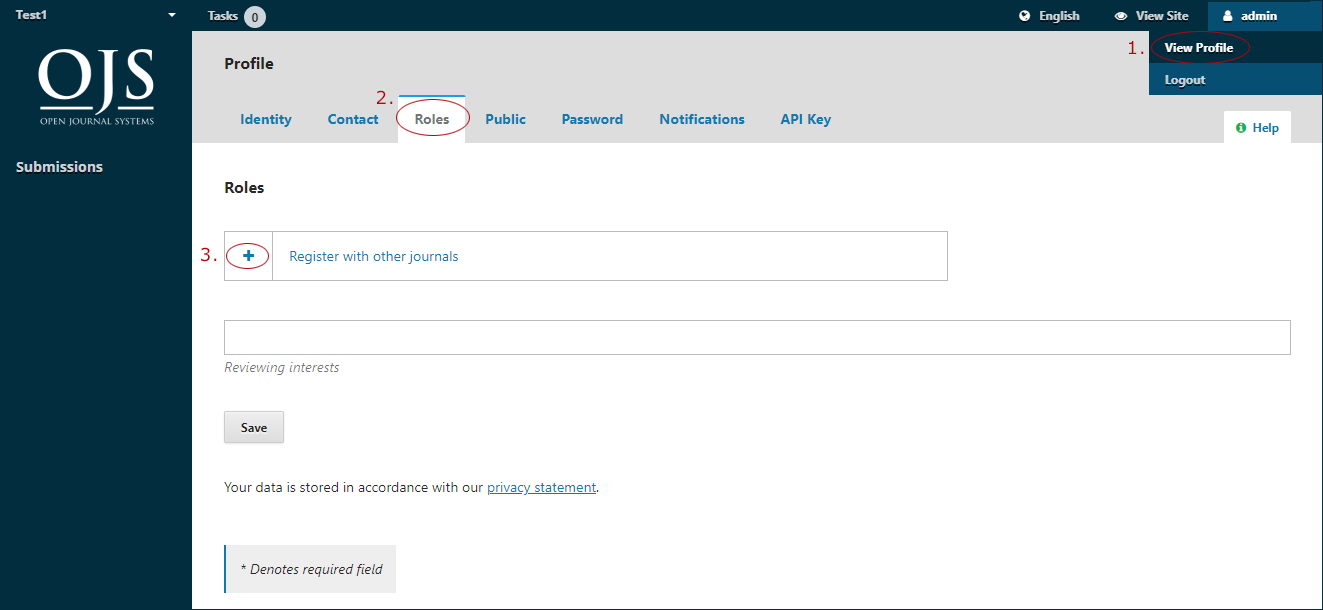
Login and select 'View Profile' (1). Then select the 'Roles' tab and click on the plus sign next to 'Register with other journals'
Here you can usually register with the roles reader, author and reviewer. However, it depends on what the individual journal has allowed. Perhaps the users only have permission to register with a single role. For example as a reader. In some cases, the journal permits no registration at all. This typically applies to journals that no longer publish new issues or have moved to another publication platform.
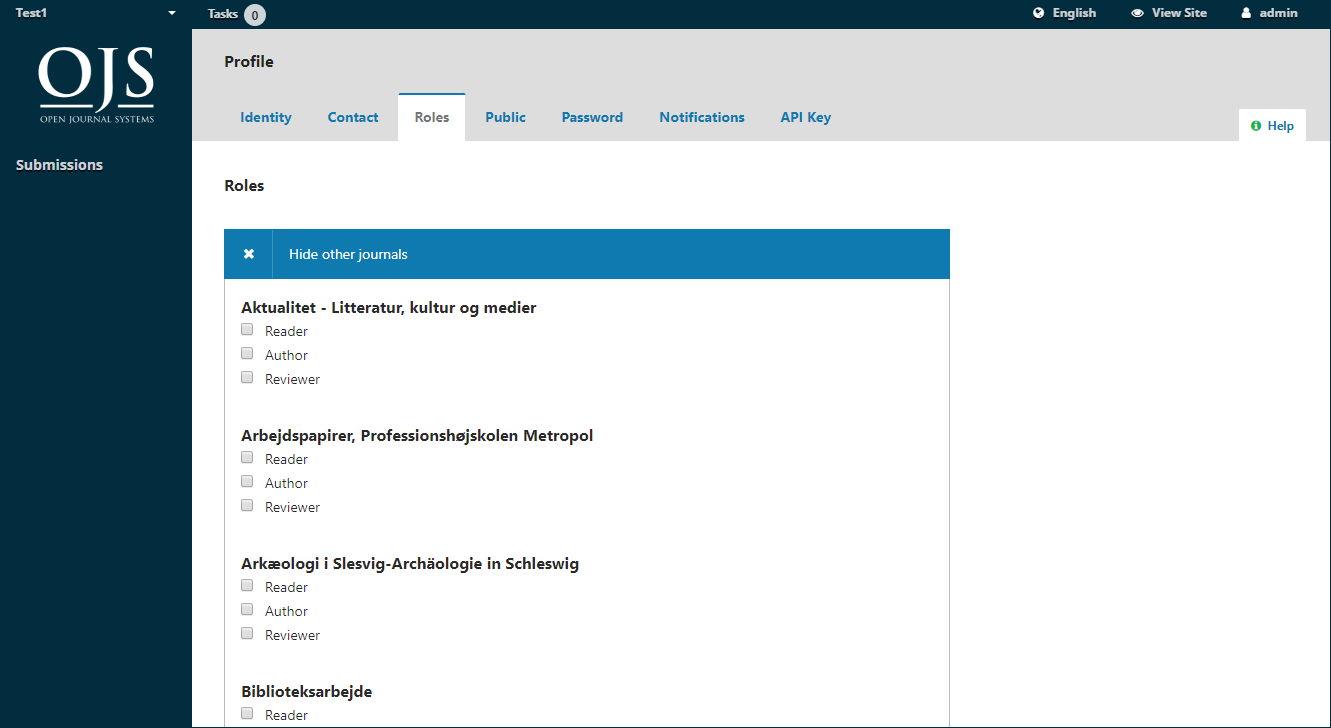
The process is completed when you press ”Save” at the bottom of the page.